ESP32 vs Raspberry Pi Pico W for IoT Projects
Key Takeaways
- The original ESP32 runs up to 240 MHz with 520 KB of SRAM, while the Pico W tops out at 133 MHz with 264 KB, per Espressif’s ESP-IDF documentation and Pico W product listings.
- Both boards offer 2.4 GHz Wi-Fi 4. Bluetooth is where they split: the ESP32 lists Bluetooth 4.2 Classic plus BLE, and the Pico W’s chip is rated 5.2 but software support lagged at launch.
- Only the ESP32 has DAC outputs, with two 8-bit channels. The Pico W has none.
- Neither classic board carries a Thread radio, so battery-powered Thread devices need a different chip.
- Pick the ESP32 for radios, RAM and analog output. Pick the Pico W for gentle MicroPython learning and PIO. Also price the Pico 2 W, which lifts SRAM to 520 KB.
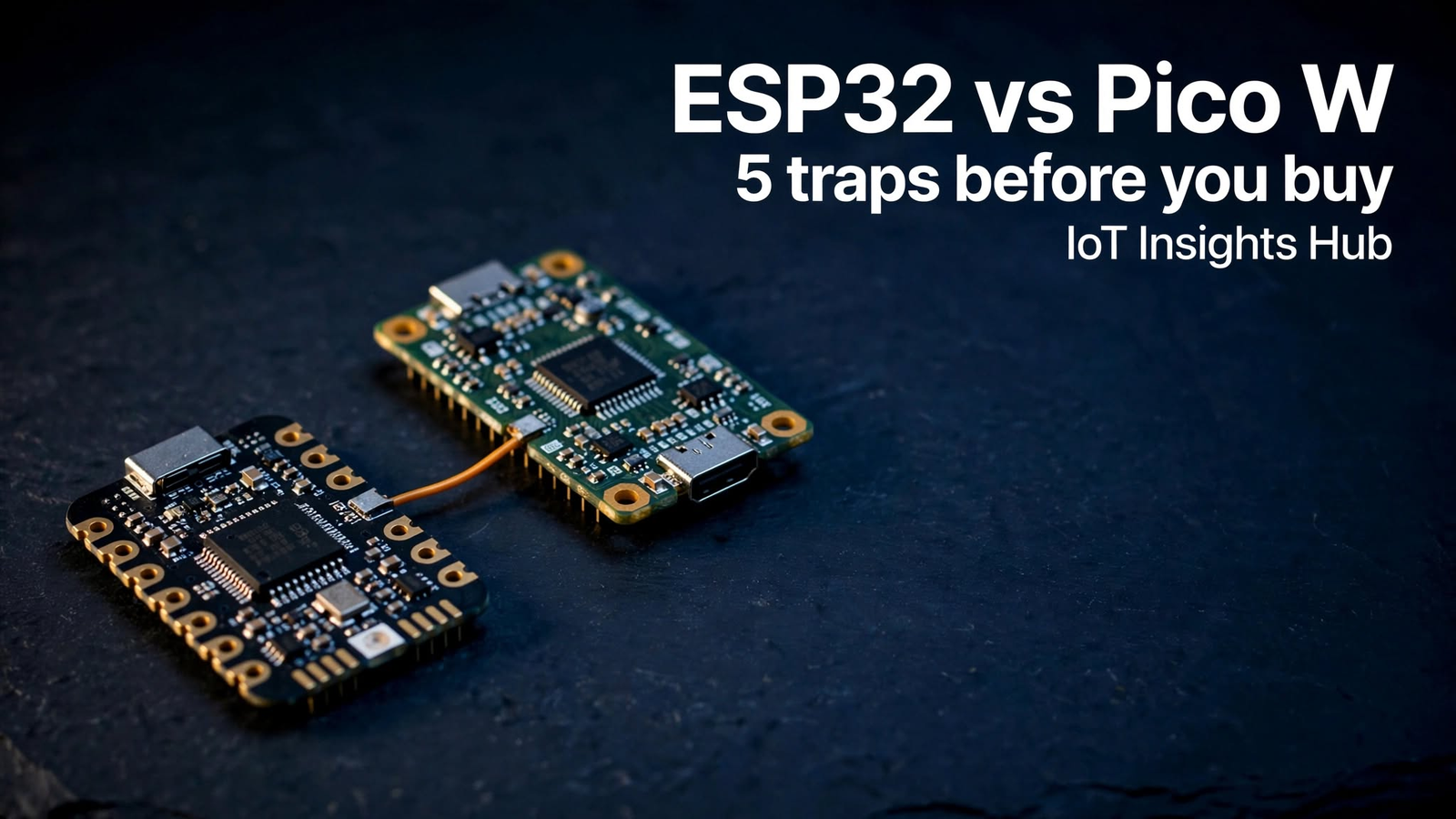
ESP32 vs Raspberry Pi Pico W for IoT Projects: 5 Hidden Traps
Picking between ESP32 vs Raspberry Pi Pico W looks like a five-minute decision. Both boards are cheap, both speak 2.4 GHz Wi-Fi, and both run MicroPython. Then you wire up a real sensor node and the differences start to bite.
At IoT Insights Hub, we compared both boards’ published specs and documentation against the checks that trip up first-time builders. This ESP32 vs Raspberry Pi Pico W breakdown walks through five traps, from Bluetooth support to Thread radios, so you can choose before you solder anything.
A quick scope note. “ESP32” here means the original dual-core chip and the boards built around it, while the Pico W is Raspberry Pi’s RP2040-based wireless board. Newer siblings exist, and we cover them where they change the answer.
Sources: Espressif ESP-IDF documentation, Mouser’s Espressif ESP32 listing, ThingsBoard and Grobotronics Pico W listings.
What is the real difference in ESP32 vs Raspberry Pi Pico W?
The ESP32 is the faster, more radio-rich chip: dual cores up to 240 MHz, 520 KB of SRAM, Wi-Fi plus Bluetooth Classic and BLE. The Pico W uses Raspberry Pi’s RP2040 at 133 MHz with 264 KB of SRAM and Wi-Fi. The ESP32 wins on connectivity headroom. The Pico W wins on simplicity.
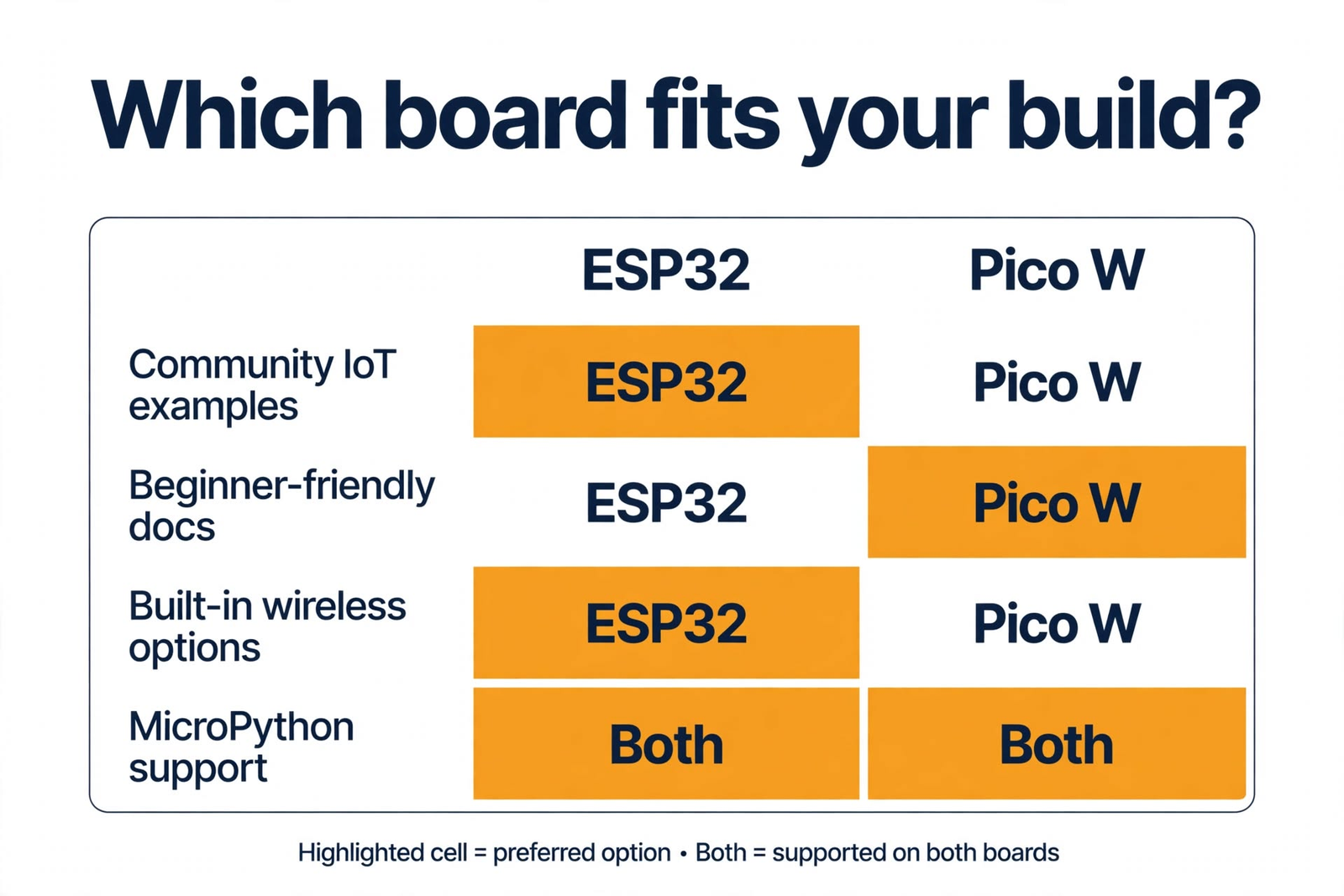
Here is the comparison most buyers want first. Every figure below comes from published documentation, and the sources sit right under the table.
| Spec | ESP32 (original) | Raspberry Pi Pico W |
|---|---|---|
| CPU | Dual-core Xtensa LX6, up to 240 MHz | Dual-core Arm Cortex-M0+ (RP2040), up to 133 MHz |
| SRAM | 520 KB | 264 KB |
| Flash | Depends on the module (4 MB is common) | 2 MB onboard |
| Wi-Fi | 802.11 b/g/n, 2.4 GHz | 802.11 b/g/n (Wi-Fi 4), 2.4 GHz |
| Bluetooth | 4.2 BR/EDR (Classic) plus BLE | CYW43439 chip rated for 5.2; software support came later |
| DAC | Two 8-bit channels | None |
| Languages and tools | Arduino IDE, ESP-IDF, MicroPython | MicroPython, C/C++ SDK |
| Standout extra | Ultra-low-power coprocessor | Programmable I/O (PIO) |
Sources: Espressif ESP-IDF chip series comparison (core, clock, SRAM, Wi-Fi, DAC), Mouser’s Espressif ESP32 listing, ThingsBoard device library and Grobotronics (Pico W specs and the Bluetooth launch note).
Look at the table and the ESP32 seems to win almost every row. That’s partly true. The ESP32 launched in 2016, per Espressif’s ESP-IDF documentation, and a decade of tutorials is the likely reason its example pool runs so deep.
Specs rarely sink a project, though. In the ESP32 vs Raspberry Pi Pico W decision, mismatched assumptions do. IoT Insights Hub readers tend to hit the same five, so here they are at a glance before we take them one by one.
| Trap | What you assume | What actually bites |
|---|---|---|
| Bluetooth | Both boards have Bluetooth | Stack maturity and Classic support differ |
| Memory | Sensor code is tiny | Encrypted links, JSON and updates eat RAM |
| Analog output | Any board can output a voltage | The Pico W has no DAC |
| Battery life | Sleep modes are all alike | Chip-level figures hide board-level draw |
| Thread and Matter | Wi-Fi boards join any smart home | Thread needs an 802.15.4 radio |
Does Bluetooth work the same way on both boards?
No. The ESP32 ships with Bluetooth 4.2 Classic and BLE, backed by years of community use. The Pico W’s CYW43439 chip is rated for Bluetooth 5.2, but a retailer listing says software support was not ready at launch. Check your SDK version before you plan a Bluetooth feature.
On paper, the Pico W looks ahead in this ESP32 vs Raspberry Pi Pico W matchup. Its CYW43439 chip is rated for Bluetooth 5.2, per ThingsBoard’s device listing, while the ESP32 lists Bluetooth 4.2 with both Classic and BLE, per Mouser’s Espressif page.
Here’s the catch. Retailer Grobotronics notes that Bluetooth 5.2 was not software supported when the Pico W launched. Later SDK releases added Bluetooth support, but a rated chip and a finished software stack are different things.
Classic Bluetooth matters if your project streams audio or talks to older serial-over-Bluetooth gear. Espressif’s documentation lists Classic for the ESP32. For the Pico W, check what your SDK version exposes.
For BLE beacons or phone-based provisioning, either board can work. Expect more ready-made ESP32 examples, though, and that saves real hours.
How much memory does an IoT project actually need?
More than most beginners expect. The ESP32 offers 520 KB of SRAM, while the Pico W has 264 KB. A sensor that posts one reading a minute fits either board. Encrypted MQTT, JSON parsing and over-the-air updates eat RAM quickly, so the Pico W reaches its ceiling first.
A temperature sensor posting one reading a minute barely touches memory. Trouble starts when you add encrypted connections, JSON payloads, a setup web page and an update mechanism. Each one wants its own buffers.
That’s where 520 KB versus 264 KB of SRAM stops being trivia in the ESP32 vs Raspberry Pi Pico W choice. If the protocol is new to you, the IoT Insights Hub MQTT guide explains the publish-subscribe model. The model is light, but a secured connection still keeps session state and buffers in RAM.
Flash is the other limit. The Pico W ships with 2 MB, and a safe over-the-air update needs room for a second copy of your firmware.
The Pico W isn’t weak, and plenty of sensor nodes fit comfortably in 264 KB. Just don’t choose it for a project you already suspect will grow. Switching boards mid-build costs more than the price gap ever saved.
Which board handles analog sensors and battery power better?
The ESP32 has the edge on both. It includes two 8-bit DAC channels and an ultra-low-power coprocessor, with chip-level deep sleep near 10 µA per the atomic14 reference. The Pico W has no DAC and offers sleep and dormant modes, so test its battery life on your own hardware.
Analog output is the quiet deal-breaker in any ESP32 vs Raspberry Pi Pico W comparison. The ESP32 includes two 8-bit DAC channels, per Espressif’s ESP-IDF comparison table. The Pico W has no DAC at all, per ThingsBoard’s listing, so a true analog voltage means an external converter or filtered PWM.
Battery life is trickier. The atomic14 ESP32 reference puts deep sleep at 10 µA, and Mouser’s listing says the chip includes an ultra-low-power coprocessor. Waveshare says the Pico W has low-power sleep and dormant modes but publishes no figure we could compare.
Don’t trust chip-level numbers on a dev board. Voltage regulators, USB-serial chips and status LEDs often draw more than the chip itself. If battery life matters, measure your actual board running your actual firmware.
Can either board join a Matter or Thread smart home?
Not over Thread, at least not the classic versions. Thread needs an 802.15.4 radio. The atomic14 reference lists none for the original ESP32, and the Pico W’s wireless chip covers only Wi-Fi and Bluetooth. Matter over Wi-Fi is the realistic path, or look at newer Espressif chips.
Smart-home builders hit this one late, and the ESP32 vs Raspberry Pi Pico W debate rarely mentions it. Thread, the low-power mesh behind much of Matter, needs an 802.15.4 radio. The atomic14 reference lists none for the original ESP32, and the Pico W’s wireless chip covers Wi-Fi and Bluetooth only.
That doesn’t lock either board out of Matter. It does mean the Wi-Fi route is the realistic one. For battery-powered Thread devices, look at Espressif’s newer chip families, which Random Nerd Tutorials’ 2026 chip guide breaks down by radio.
Matter keeps moving, too. The IoT Insights Hub breakdown of Matter 1.6 vs 1.6.1 new features shows how quickly the spec changes. That’s a good reason to pick hardware with an actively maintained SDK.
Which should you buy: ESP32 vs Raspberry Pi Pico W?
Buy the ESP32 if you need Bluetooth Classic, DAC output, more RAM or the largest pool of Wi-Fi examples. Buy the Pico W if you want a gentle MicroPython start, PIO for custom protocols or Raspberry Pi tooling. Also price the Pico 2 W, which lifts SRAM to 520 KB.
Match the board to the job, not the spec sheet, whatever the ESP32 vs Raspberry Pi Pico W forums say. This table sums up where each one earns its place.
| Your project | Better pick | Why |
|---|---|---|
| Wi-Fi sensor node with BLE phone setup | ESP32 | More RAM and a long-established Bluetooth stack |
| Classic Bluetooth or audio | ESP32 | Classic support is listed in Espressif’s documentation |
| True analog voltage output | ESP32 | Two 8-bit DAC channels built in |
| First MicroPython project | Pico W | Raspberry Pi’s SDK, tutorials and getting-started guides |
| Custom protocols and tight timing | Pico W | PIO state machines handle timing in hardware |
| Home Assistant sensors over MQTT | Either | Both speak 2.4 GHz Wi-Fi and run MQTT clients |
| Battery-powered Thread device | Neither classic board | Thread needs an 802.15.4 radio |
Building a hub rather than a sensor? A full computer fits better, and the IoT Insights Hub Home Assistant on Raspberry Pi guide covers that side. Either microcontroller can feed it readings over Wi-Fi.
One more buying note. Waveshare’s comparison lists the Pico 2 W with dual cores at 150 MHz, 520 KB of SRAM and 4 MB of flash. If you’re ordering today, price both Pico generations before you decide.
What do critics say about this verdict?
Critics say the matchup flatters the ESP32. They argue spec sheets ignore the Pico W’s PIO and documentation, that comparing a 2016 chip with newer boards is unfair, and that for commercial products the update and security plan matters more than the board.
The spec sheet misses what the Pico W does well
Grobotronics calls the RP2040’s Programmable I/O unique, and Waveshare points to Raspberry Pi’s SDK and tutorials. Critics of the ESP32 vs Raspberry Pi Pico W verdict say raw clock speed and RAM hide those strengths. For custom protocols or a first MicroPython project, they have a point.
“The ESP32” is a whole family now
Random Nerd Tutorials’ 2026 chip guide lists many Espressif chips with different cores and radios. The original ESP32 dates to 2016. Critics argue that setting it against newer boards isn’t apples to apples, and they’re right. The IoT Insights Hub verdict holds for these two boards, not for every chip Espressif sells.
For shipped products, the board matters less
If you plan to sell a connected device in the EU, reporting duties under the Cyber Resilience Act apply from 11 September 2026, per law firm McCann FitzGerald. Critics say your update and vulnerability process counts for more than the microcontroller. The IoT Insights Hub guide to IoT security risks to fix in 2026 is a good place to start.
For more IoT reading from our network, IoT Mail Bridge is worth a bookmark.
What do readers ask most about the ESP32 and Pico W?
Is the ESP32 better than the Raspberry Pi Pico W for IoT projects?
For most Wi-Fi and Bluetooth builds, yes. The ESP32 offers a faster clock (up to 240 MHz), 520 KB of SRAM, Bluetooth Classic plus BLE and DAC outputs. The Pico W counters with friendly MicroPython tooling and PIO. If you only need Wi-Fi and simple sensors, either board works.
Does the Raspberry Pi Pico W have Bluetooth?
Its CYW43439 wireless chip is rated for Bluetooth 5.2, but a retailer listing based on Raspberry Pi’s launch notes says software support was missing at launch. Later SDK releases added Bluetooth support, so confirm what your SDK version exposes before you build a feature around it.
Can the ESP32 and Pico W both run MicroPython?
Yes. Per ThingsBoard’s device listings, the ESP32 supports MicroPython, the Arduino IDE and Espressif’s ESP-IDF, while the Pico W supports MicroPython and a C/C++ SDK. MicroPython suits quick prototypes. C or C++ gives tighter control over memory and timing once a project grows.
Which board uses less power for battery IoT devices?
On paper the ESP32 leads. The atomic14 reference lists its deep sleep draw at 10 µA, and it includes an ultra-low-power coprocessor. Waveshare says the Pico W has sleep and dormant modes but gives no comparable figure. Regulators and USB chips add draw, so measure your own board.
Is the Pico 2 W a better choice than the Pico W?
On specs, yes. Waveshare’s comparison lists the Pico 2 W with dual cores at 150 MHz, 520 KB of SRAM and 4 MB of flash, against 133 MHz, 264 KB and 2 MB for the Pico W. Both use Wi-Fi 4. Compare current prices before you commit.
Do the ESP32 or Pico W support Matter and Thread?
Neither classic board adds a Thread radio. Thread needs 802.15.4, which the atomic14 reference says the original ESP32 lacks, and the Pico W’s wireless chip covers only Wi-Fi and Bluetooth. Matter over Wi-Fi is the practical route, or choose a newer Espressif chip built for Thread.
So what should you do next?
Choose the ESP32 when radios, memory or analog output drive the design. Choose the Pico W when learning speed, PIO or Raspberry Pi tooling matter more. Skip both if you need Thread and haven’t checked newer chips. Whichever you pick, run the five checks above before ordering a batch.
The ESP32 vs Raspberry Pi Pico W question has no universal winner. That’s why the five traps matter more than the spec sheet. Run them against your own project and the right board usually announces itself.
IoT Insights Hub will keep publishing hardware comparisons like this one. Browse more guides in the spirit of this ESP32 vs Raspberry Pi Pico W breakdown, and tell us which boards you want covered next.
About The Author